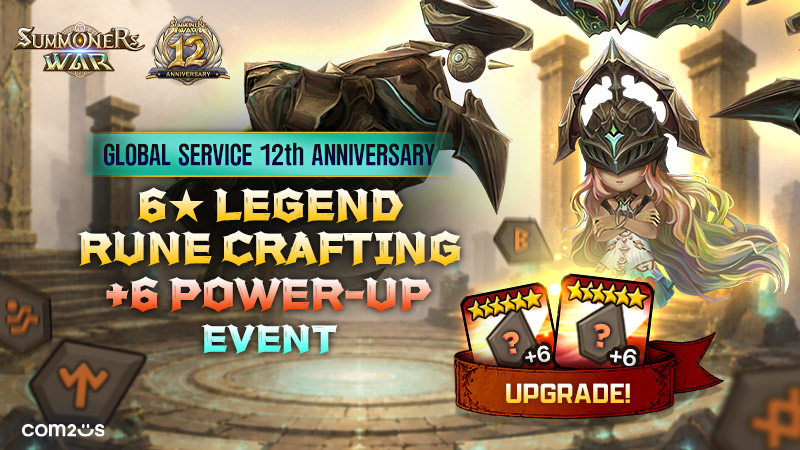
Global Service 12th Anniversary! 6★ Legend Rune +6 Power-up Event
Greetings from Com2uS!
In celebration of Summoners War's 12th anniversary of global service,
the [6★ Legend Rune +6 Power-up Event] will go live, where you can craft Runes of your choice.
Select your desired Rune type, slot, main property, and sub properties
to obtain up to two [6★ Legend Runes] powered up to +6!
Please read below for more info.
■ Event Period
Jun. 8, 12:00 AM - Jul. 5, 11:59 PM (server time)
* Rewards available until Jul. 6, 11:59 PM (server time)
■ Event Details
★ Event Overview ★
1) Craft up to two 6★ Legend Runes (Power-up Lv. 6)!
2) Change sub properties and stat values 10 times for free daily!
3) Get notifications for desired sub properties and stat values!
4) [UPGRADE!] Duplicate Rune types can be selected!
★ How to Earn 12-Year Points ★
- Use Ameria's Luck
- Run Scout Battle
- Enter Arena Content + Siege Battle + World Guild Battle
- Use Crystals
- Obtain Rune + Artifact
- Obtain Enchanted Gem + Grindstone
- Use Enchanted Gem + Grindstone + Reappraisal Stone
* 12-Year Points can be earned without a daily limit.
* Please check the event page for more details.
※ New & Returning Summoners can earn bonus 12-Year Points by checking in for 10 days.
- New Summoner: Summoners who created their account after May 5, 8:00 AM PDT.
- Returning Summoner: Summoners who have the returning benefits in effect as of Jun. 4, 8:00 AM PDT, or have received them since.
- Check-in resets daily at 12:00 AM (server time).
EVENT. Craft up to two 6★ Legend Runes with your desired properties, and power them up to +6.
▶ Step 1: Select Rune Type (-120 12-Year Points)
▶ Step 2: Select Rune Number (-100 12-Year Points)
▶ Step 3: Select Main Property (-100 12-Year Points)
▶ Step 4: Change Sub Properties (-80 12-Year Points)
▶ Step 5: Power up to Lv. 6 and change stat values
(Power up to +6: -120 12-Year Points / Change Stat Values: -80 12-Year Points)
* You can only modify via [Reset] once you have confirmed and moved to the next step.
* Upon [Reset], [120 12-Year Points] will be consumed, and you will start over from Step 1. Used points will not be refunded.
* You cannot reset after collecting the Rune.
★ Sub Property / Power-up Change Notification Settings ★
* Use the Sub Property Notification Settings in Step 4 and the Power-up Notification Settings in Step 5 to craft your Runes with ease!
* Step 4: A pop-up will be displayed if all the sub properties and values selected in the Sub Property Notification Settings appear when changing the sub properties.
* Step 5: A pop-up will be displayed if at least one value selected in the Power-up Notification Settings appears when changing the stat values.
* You can use the [Change 10 Times] feature after saving at least one sub property in the Sub Property/Power-up Notification Settings.
★ Sub Property / Stat Value Daily 10 Free Changes ★
- You can change the sub properties and stat values 10 times daily for free in Step 4 and Step 5.
- The 10 free change chances will be provided for the First and Second Runes each.
* Free change chances reset daily at 12:00 AM (server time).
※ Please Read
=====================================
< Rune Crafting >
- You can select the same Rune type and main property for the First and Second Runes.
- Crafted Runes will not have a prefix property.
- You cannot craft Intangible Runes.
- The main property will be fixed for Rune No. 1, 3, and 5 in Step 2.
- Sub properties confirmed in Step 4 cannot be changed.
- Summoners who have completed up to Step 3 (Select Main Property) but fail to collect their Runes within the reward collection period will have them sent to their Inbox within a day after the reward collection period.
(If Step 5 (Power up to +6) is not completed, the Runes will be sent with their initial sub property values.)
=====================================
- Rewards will be available for 24 hours after the event ends.
- Please restart the game if you're playing when the event begins to avoid any delays.
- Please try restarting the game if you don't see your reward in the Inbox.
- The duration and remaining time for the event are displayed in server time.
- For questions or customer support, please contact Com2uS Customer Support by visiting https://customer.withhive.com/com2us/ask/313.
